01
+
Visit MCX.center
Come in, explore the portfolio and spend time with the technology in Barsha Heights.

No control room is neutral. Walls, corners and speakers all colour what you hear, so a mix built on that colouring falls apart the moment it leaves the room. SoundID Reference measures your room and your headphones, then corrects them to a known reference — a standalone app and a DAW plug-in, from stereo to 9.1.6 Atmos, and now with your own room carried onto headphones.
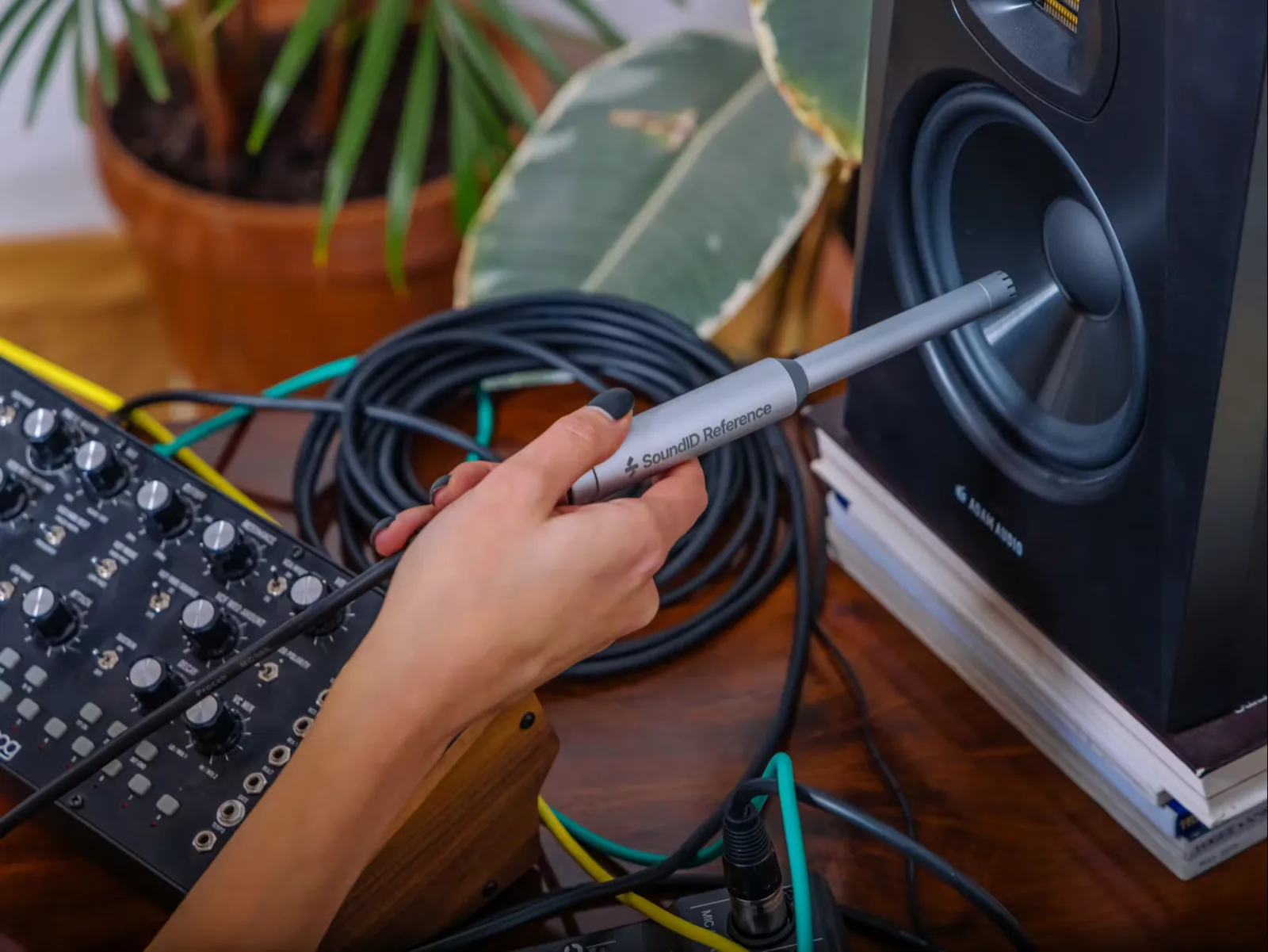
Sonarworks was founded in Riga in 2012 on a single observation: studios spend heavily on monitors and almost nothing on knowing what those monitors are doing in the room they sit in. Their answer was to measure it — a guided sweep, an individually calibrated microphone, and a correction filter derived from what the microphone actually heard rather than from a set of graphic-EQ guesses.
SoundID Reference is the result, and it has become the reference standard for calibrated monitoring: used in mastering rooms, post suites, broadcast facilities and bedrooms, and licensed into hardware by manufacturers including Universal Audio. The headphone library now covers more than 500 models, and the multichannel licence carries the same correction into immersive rooms of up to 9.1.6.
Available across MENA through MediaCast — authorised distributor, with measurement and setup support, and live demonstrations at MCX — MediaCast Experience Center in Barsha Heights.
SoundID Reference measures what your speakers and your room are actually doing, then takes it back out. It runs as a systemwide application that calibrates everything the computer plays, or as a plug-in on the master bus. Which licence you need comes down to how you monitor — a stereo pair, an immersive room, or headphones alone.
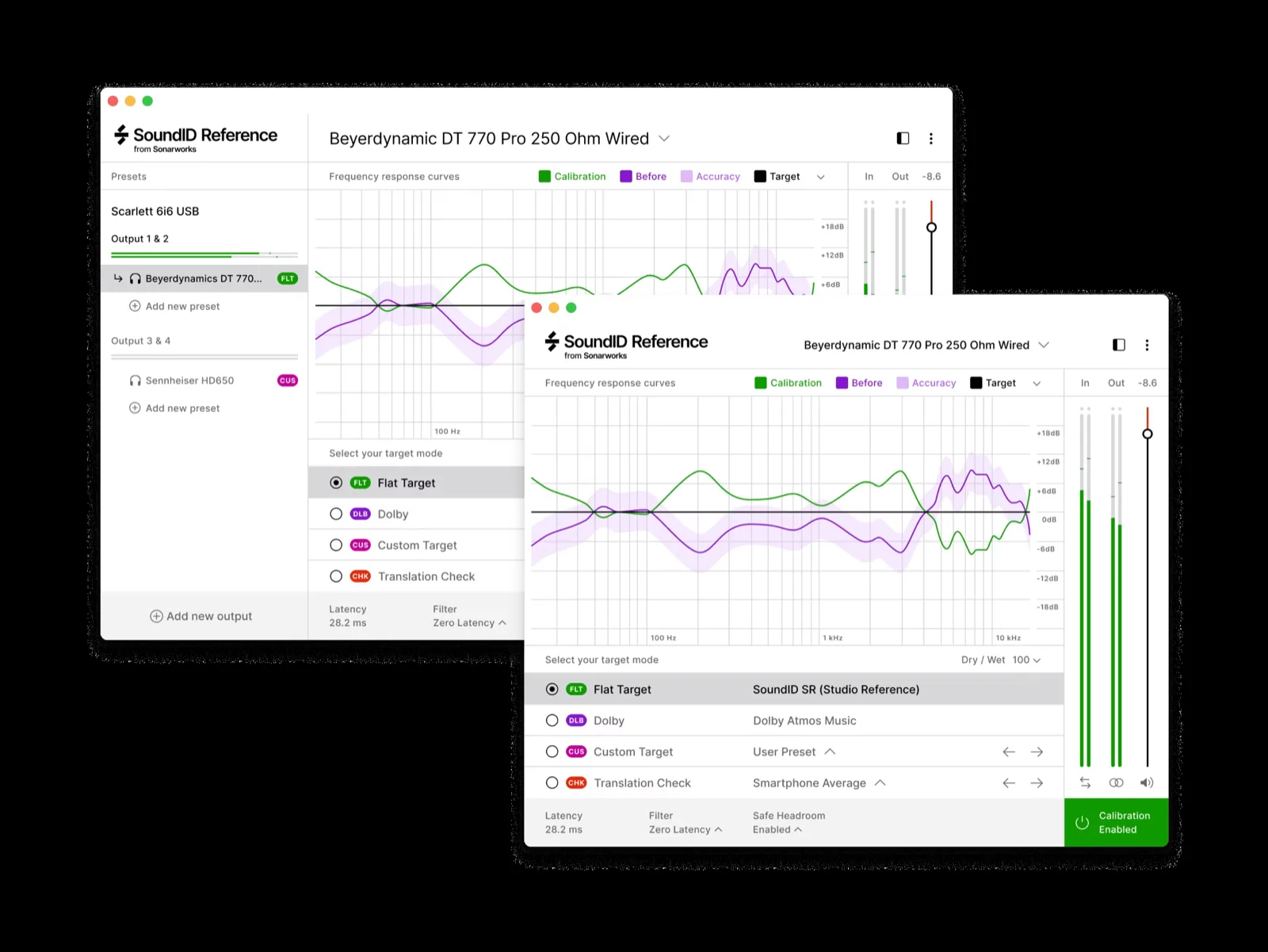
The standard licence. Measure a stereo pair with a calibrated XREF measurement microphone, and load factory calibration profiles for more than 500 headphone models. Available systemwide for every application on the machine, or as an AAX, AU or VST3 plug-in with a zero-latency filter mode for tracking.
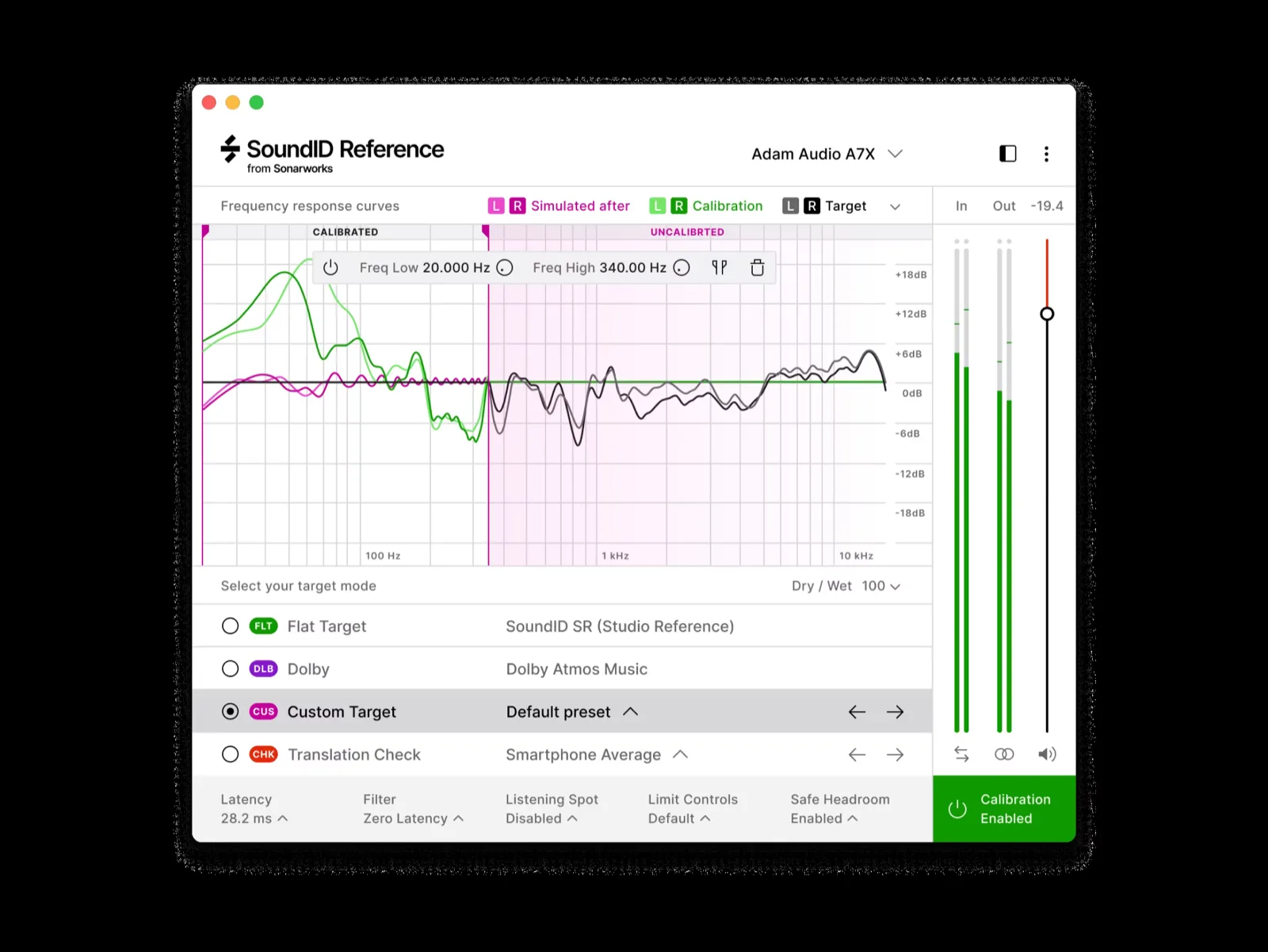
Everything the stereo licence does, extended to immersive rooms of up to 9.1.6. Every channel is measured and corrected on its own, so a surround bed or an Atmos mix translates the way a stereo mix does — and the Dolby Atmos Music target sits alongside the flat SoundID SR reference.
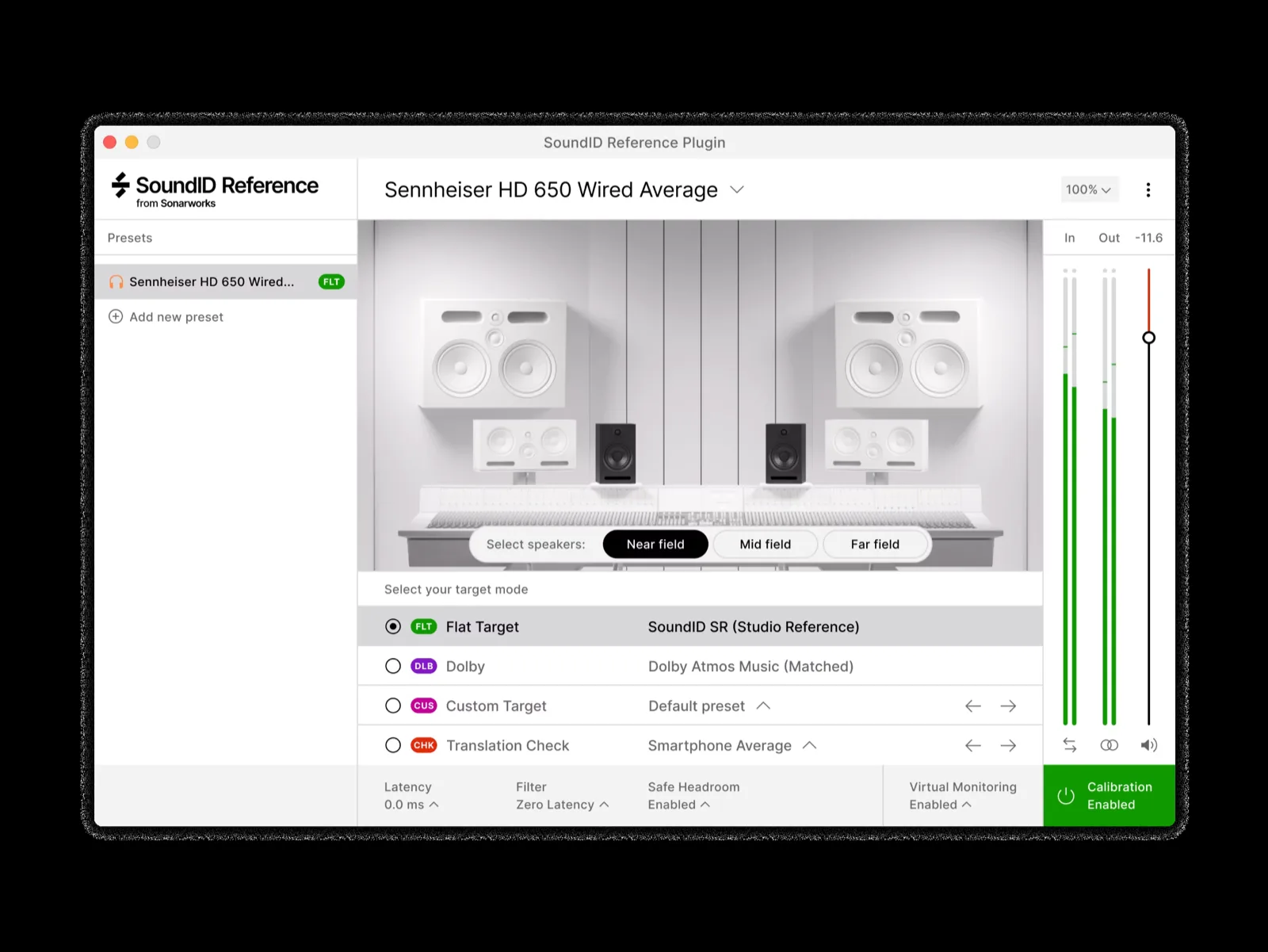
Puts a reference room inside a pair of headphones — near-field, mid-field and far-field monitors modelled in a treated space. A hotel room, an OB truck or a late night at home still gives you a monitoring position you recognise. The PRO licence carries it into immersive channel layouts.
A calibration is only ever as honest as the measurement behind it. Sonarworks uses an individually calibrated measurement microphone and a guided sweep taken at a series of positions around the listening spot — so the profile describes the seat you actually sit in, not one point in space.
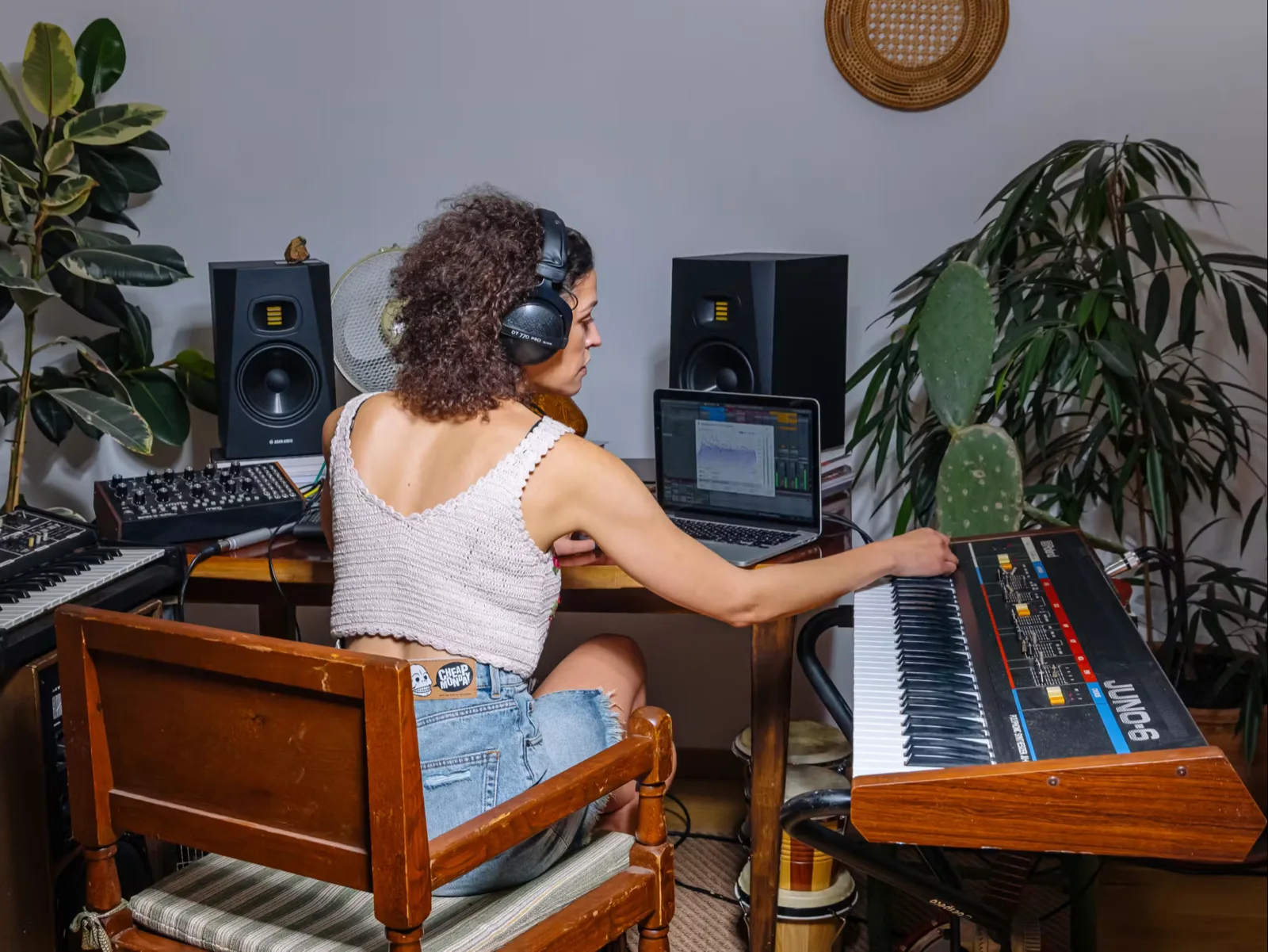
A standing wave in the length of the room, an early reflection off the desk, a corner loading the bass by several decibels. None of it is in the speakers, none of it shows on a meter, and all of it ends up in the mix — because you compensate for what you hear without knowing you are doing it.
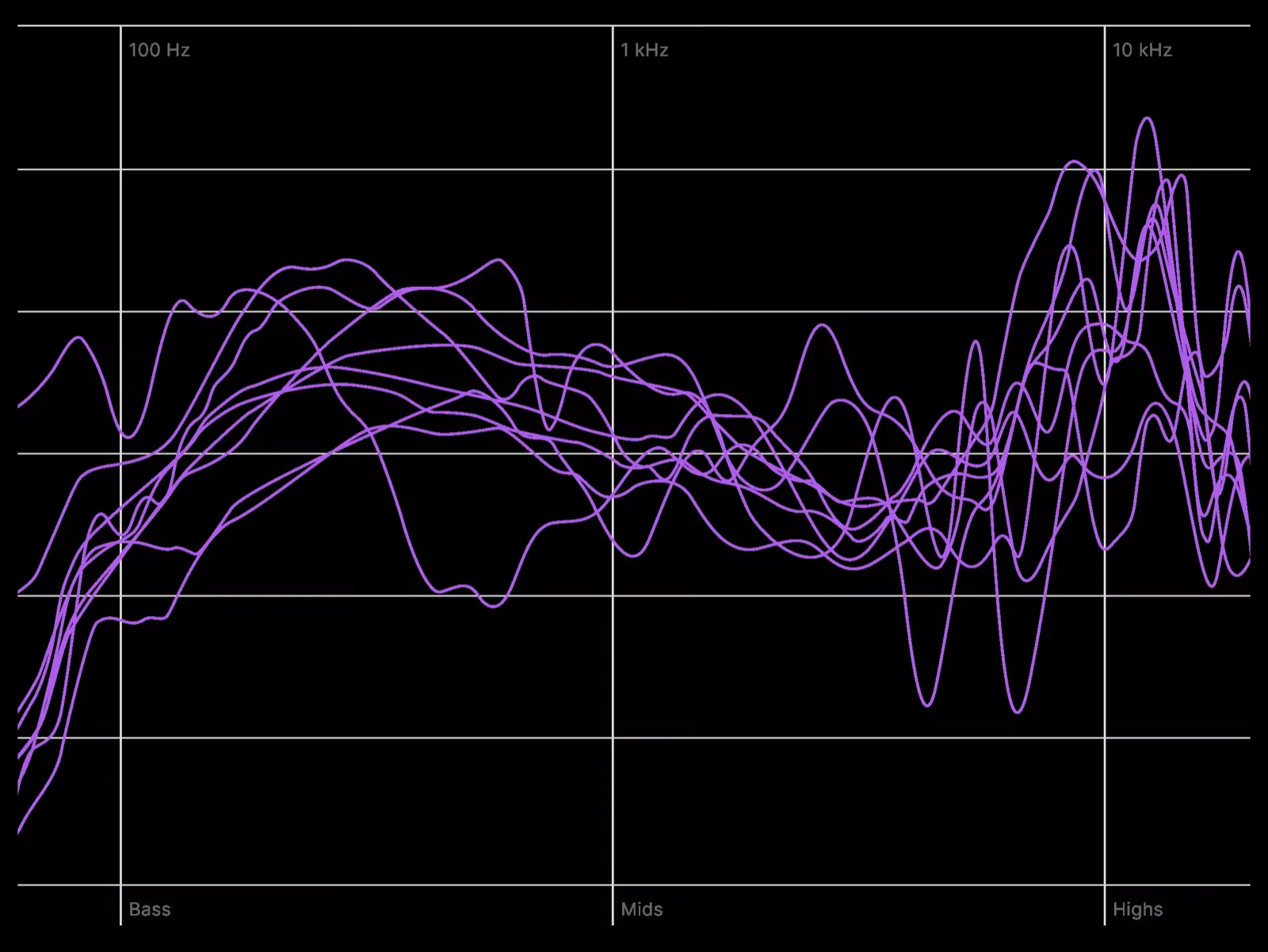
A frequency sweep played through each monitor and captured across the listening area. Each trace is one measurement position — the spread between them is how much the room changes depending on where your head is, which is why a single-point measurement is not enough.
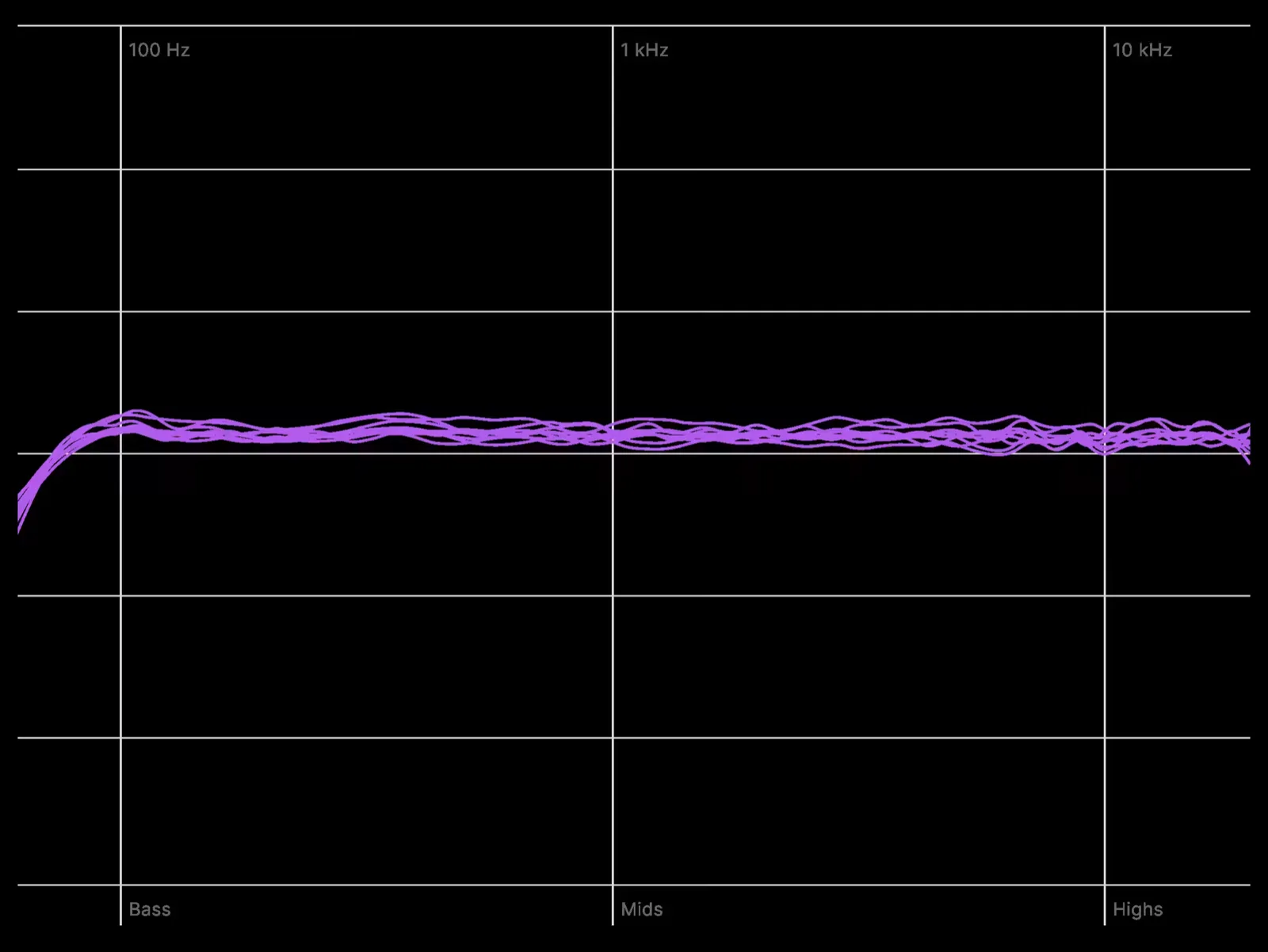
The correction filter is the inverse of the measurement. What comes back is a flat response across the listening position — the same reference every other calibrated room is working to, which is the whole point of calibrating in the first place.
A calibrated room gives you one honest reference. From there, SoundID Reference lets you audition the mix against the curves it will actually be played through — without leaving the session or touching the mix bus.
A flat response across the band, matched to what a properly treated control room measures. It is the default, and it is the target everything else on this page is compared against.
The Dolby Atmos Music target, applied on top of the room correction, so an immersive mix is auditioned against the curve the platform expects rather than against the shape of your ceiling.
Averaged response curves for smartphone speakers, laptops, car systems and earbuds. One click swaps the reference, so you find out where the low end disappears before the client does.
Room correction is an old idea that has mostly been done badly. These are the parts of the Sonarworks approach that decide whether a calibration is worth switching on.
The filter is derived from a real acoustic measurement of your room, taken with an individually calibrated microphone at a series of positions around the listening spot. Nothing is assumed about the speakers, the walls or the desk — it is measured, then inverted.
Two filter modes: a linear-phase filter for the most accurate correction while mixing, and a zero-latency mode that keeps the correction in place with no added delay — so the calibration does not have to come off the moment someone puts headphones on to record.
The systemwide application sits between the operating system and the interface, so reference tracks in a browser, a client link and a rough mix in another editor are all heard through the same calibration. The plug-in does the same job inside one session, on the master bus.
Factory-measured calibration profiles for more than 500 headphone models, from studio standards to consumer sets. Switching from monitors to headphones stops being a change of reference — the tonal balance follows you across.
The multichannel licence measures and corrects every speaker in the array on its own, including the height layer. An Atmos bed then behaves the way the stereo mix does — and the Dolby Atmos Music target is available alongside the flat reference.
Averaged response curves for smartphone speakers, laptops, car systems and earbuds, switchable from the same panel as the room correction. It is not a substitute for checking on the real thing, but it catches the obvious problems before the client does.
Calibration matters most where a wrong decision is expensive — and where the same material has to sound the same in more than one place.
The room is the last variable. A mastering chain that is honest everywhere but the monitoring position is not honest at all — SoundID Reference removes the room from the decision.
The multichannel licence measures every speaker in the array, height layer included, so dialogue and effects sit the same way in the suite as they will on the platform.
Per-channel correction to 9.1.6, with the Dolby Atmos Music target available alongside the flat reference. The bed behaves the way the stereo mix does.
Voice chains judged in a control room that has never been measured drift over time. A calibrated monitoring path keeps that judgement consistent across shifts and across rooms.
The room most music is made in is the one nobody treated. Calibration is by a distance the cheapest improvement available to it — and the only one that does not need building work.
VirtualMonitoring PRO puts a modelled reference room in the headphones, so a hotel desk or an OB truck still gives you a monitoring position you know.
Three ways people monitor — three answers.
A stereo pair and a desk. The single biggest improvement available to this room does not involve buying speakers.
A guided sweep with a calibrated XREF microphone, taken across the listening area.
Everything the machine plays goes through the correction — session, browser, client link.
Load the profile for the headphones you already own and keep the same reference.
A surround or Atmos array, where a single untreated channel can undo the whole bed.
Each speaker in the array is measured and corrected on its own, height layer included.
Flat SoundID SR for the mix, Dolby Atmos Music when the platform expects it.
Translation Check against the devices the material will really be played on.
A hotel desk, an OB truck, an edit suite that is not yours. No measurement is possible and none is needed.
Near-field, mid-field and far-field monitors modelled in a treated space.
The same monitoring position whether you are in the studio or not.
The PRO licence extends the modelled room to immersive channel layouts.
Joel is MediaCast’s specialist for Sonarworks, Universal Audio, IK Multimedia, MOTU and Apogee. He has measured and calibrated home studios, broadcast voice chains, post production suites and professional recording facilities across the region.
Tell him the room, the monitors and how you work. He’ll come back with the right licence and what the measurement involves — and you can hear a calibrated room against an uncalibrated one at MCX before you decide.

Start wherever it feels easiest. Visit us, message us, call us or send the details through. We will guide you to the right person and the right next step.
Come in, explore the portfolio and spend time with the technology in Barsha Heights.
Professional technology, trusted brands and expert support, whenever you need it.
Tell us what you are working on. We will shape the route, with clear options and pricing.
Need a quick answer? Reach out for advice, availability checks or a helping hand.
Certified courses for users, operators, integrators and partners — at MCX or on your site.
For quotations, project discussions and anything that deserves a more detailed conversation.