01
+
Visit MCX.center
Come in, explore the portfolio and spend time with the technology in Barsha Heights.

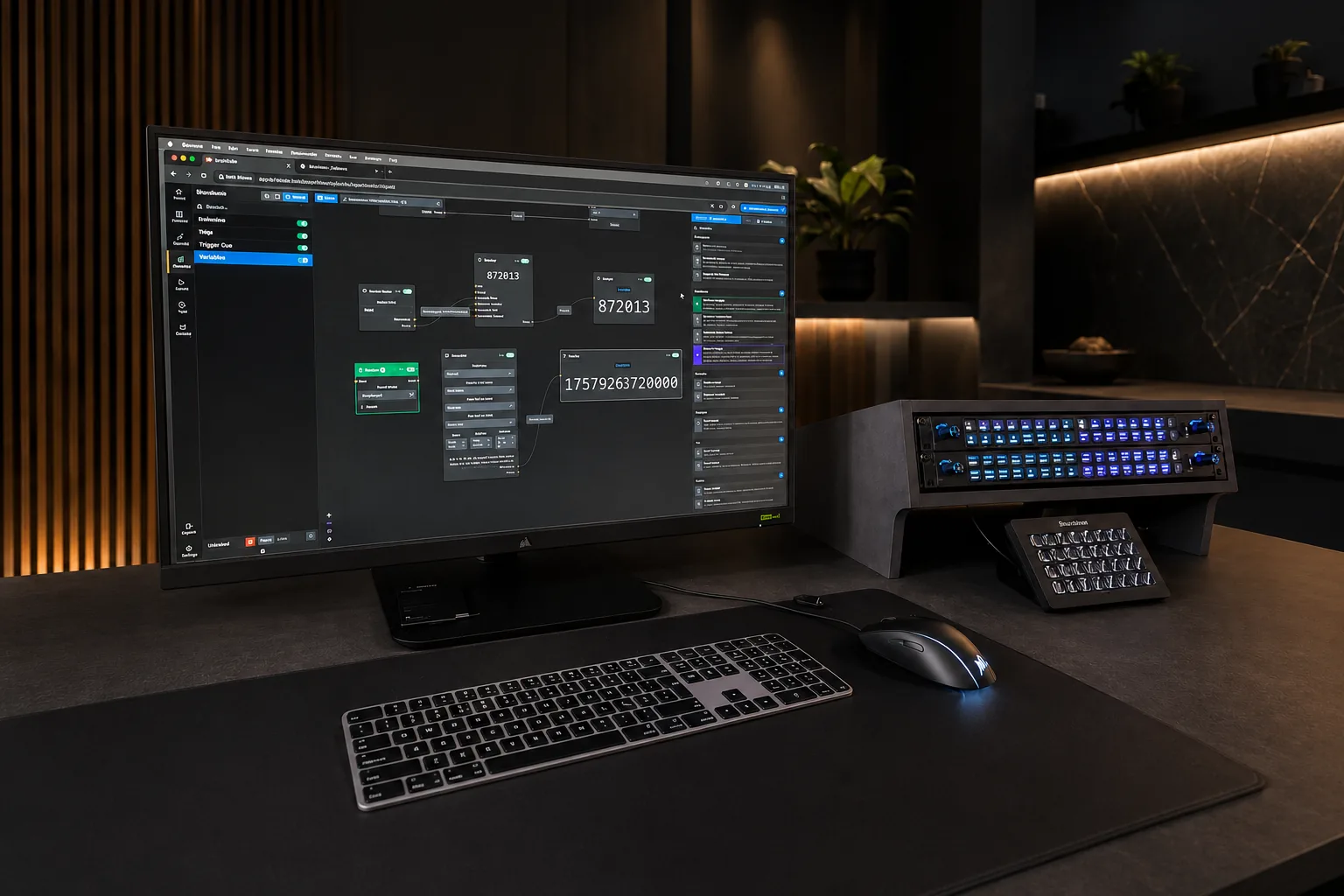
Buttons is the professional control software behind modern AV and live production. One visual interface unifies switchers, routers, playout, lighting, audio and comms — with native NMOS routing for ST 2110 and IPMX, graph-based workflows and cue lists. From the team behind Companion, the open-source project that became the default way to control AV equipment.
Founded in Oslo in 2018, Bitfocus set out to replace proprietary control systems with software anyone can master. Their open-source Companion became the de facto standard for controlling AV equipment across broadcast and live production. Buttons is the commercial platform built on that foundation — engineered for production-grade scale, backed by a full-time team, and named NAB Show Product of the Year.
Available across MENA through MediaCast — authorised distributor for the software. Licensing, commissioning, configuration and training, with the system demonstrable at MCX in Dubai before you commit.
Buttons is one product, not a range. There is no model to choose and no box to specify — you choose a licence tier and configure the software to the show. A single configuration then drives every operator position, and one button can fire a vision mixer, a router, playout, lighting, audio and comms together.
The routing is native rather than bolted on. NMOS IS-04 and IS-05 discovery, SMPTE ST 2110 and IPMX are handled inside Buttons, so IP senders and receivers are patched from the same panel that runs the show — alongside SDI routers, in one action. Logic is built in a visual editor with conditions, variables and patchable connections, so nothing has to be scripted.
Buttons runs in broadcast galleries, master control, remote production, installed AV, campuses, houses of worship, corporate events and digital signage. In MENA and Türkiye, MediaCast supplies the licence and the work around it — system design, commissioning, configuration, training and post-installation support, with the software demonstrable at MCX — MediaCast Experience Center in Dubai.
Everything below is the same application. Buttons replaces rigid pages and hand-written scripts with a visual canvas, so the panel is built to the show rather than bought as a model — and the people who run the show do not have to be the people who programmed it.
It runs on what the gallery already owns: any browser or touchscreen becomes an operator position, and USB or network control panels are supported without being part of the licence. What MediaCast supplies is the software, the configuration and the support behind it.
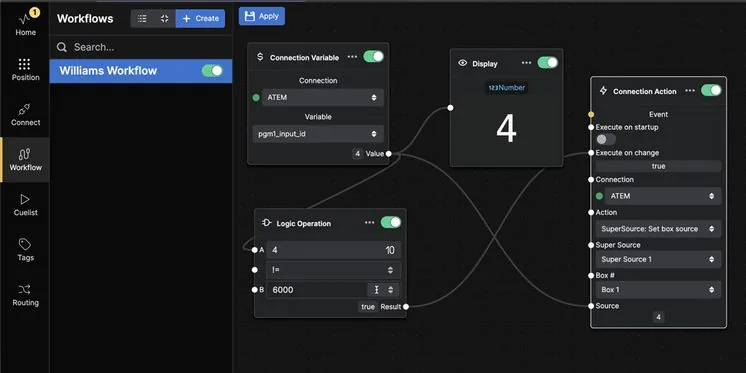
Automate complex sequences with a graph-based logic editor. No scripting, no compile step.
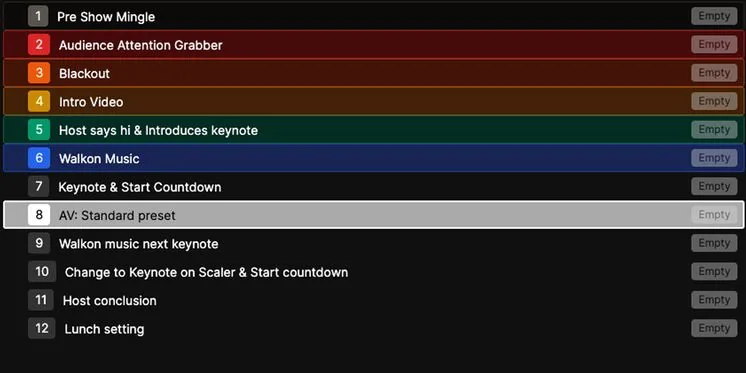
Build sequential actions for rundowns, theatrical cues or any repeatable process.
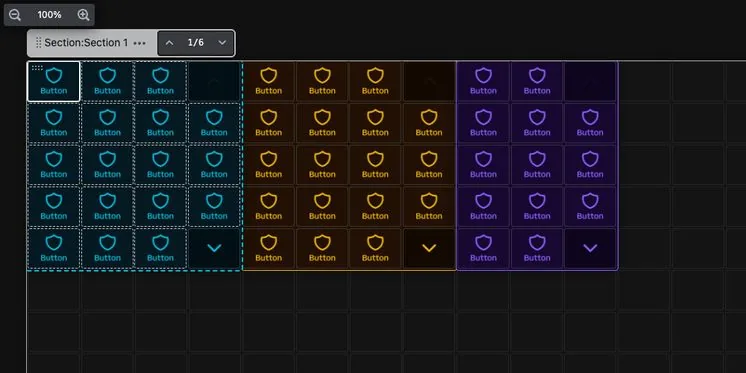
Scrollable sections, nested folders and popovers organise hundreds of controls without a wall of buttons.
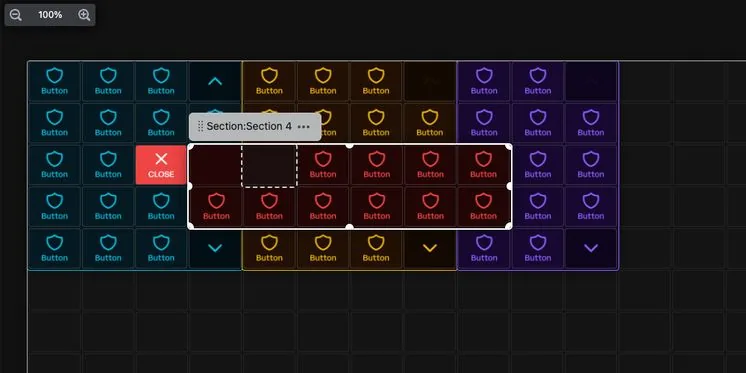
Lock a section behind a PIN, or an NFC card on a supported panel, so transmission-critical controls stay with the right operator.
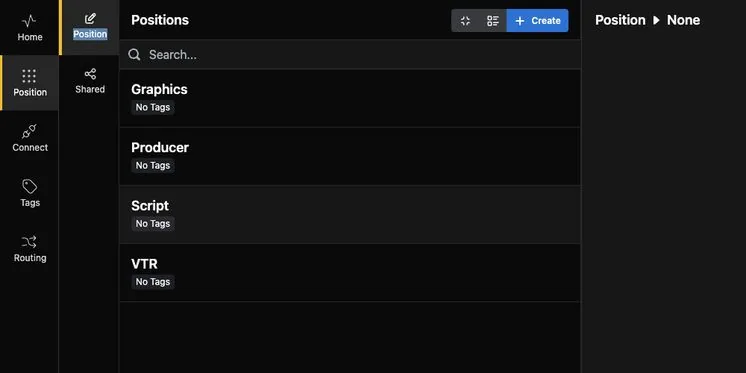
Positions separate and organise programmed buttons for setups with multiple operators or locations.
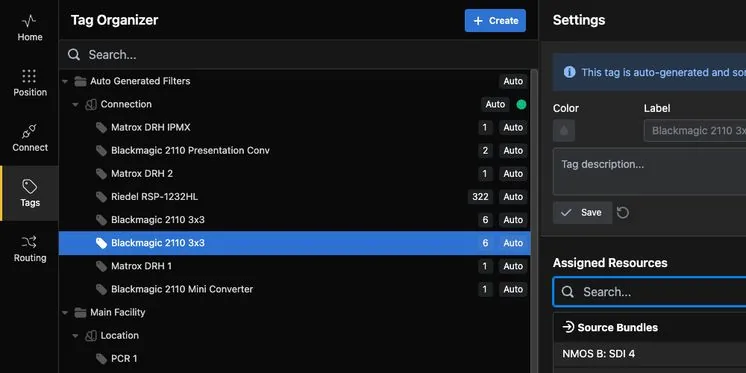
Tags organise and manage resources, and define locations, functions and security contexts.
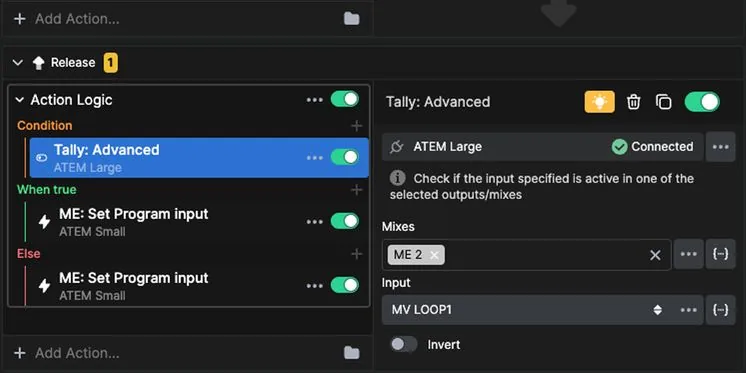
A button acts only when a condition is met — a feedback, a variable, a state.
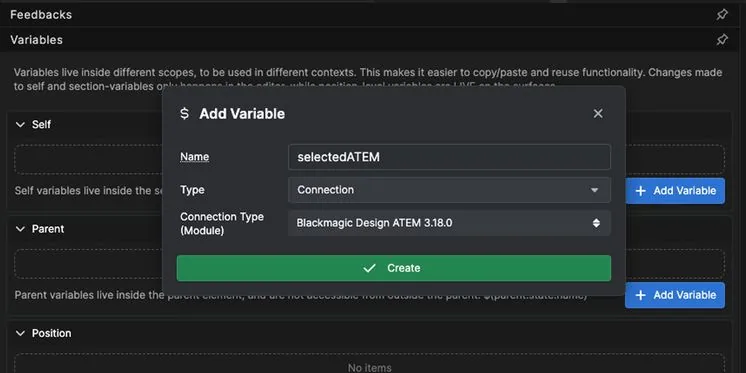
One button, interchangeable targets. Point the same panel at a different studio or rack.
This is where Buttons stops being a control panel and becomes infrastructure. NMOS discovery and control are built in, so IP routing is handled in the same interface as everything else — and alongside the SDI you still have.
Route uncompressed video, audio and ancillary data across professional media-over-IP infrastructure.
Full IPMX support brings AV-over-IP devices into the same interface as traditional broadcast equipment.
Automatic discovery of NMOS devices. Browse senders and receivers and create routes without handling IP addressing.
Switch legacy and IP infrastructure together in a single action — the practical path through a migration.
Store routes, switch individual ports or entire bundles, and drive mass routing from a web interface.
Internal resources in ATEM, VideoHub, vMix and a growing list of devices, routed without custom work.
The same software, configured eight different ways. Buttons works anywhere devices are on a network and can be controlled digitally — and four of these are not broadcast at all, which is why it sits in IT & Infrastructure rather than in a gallery.
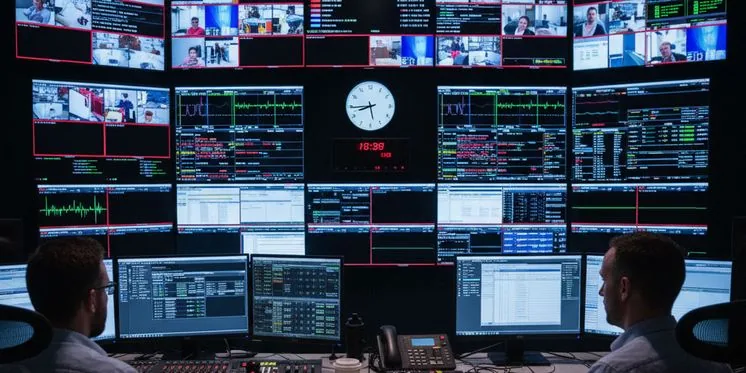
Vision mixers, graphics, routing and intercoms in one workspace. One button cuts the camera, rolls the graphic and fades the audio, in sync with the rundown.
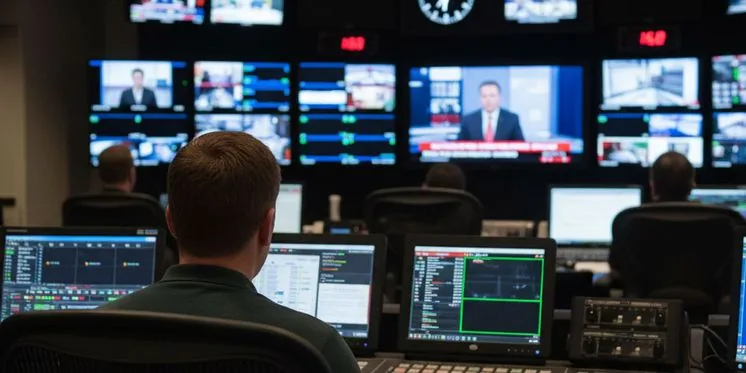
Playout, routing and monitoring in one command centre built for continuous operation, across legacy and IP paths.
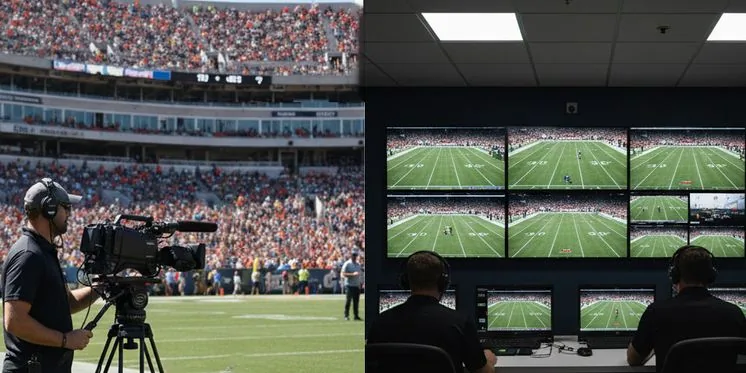
On-site crews and centralised operators in real time. Switch, route and monitor as if everyone were in the same gallery.
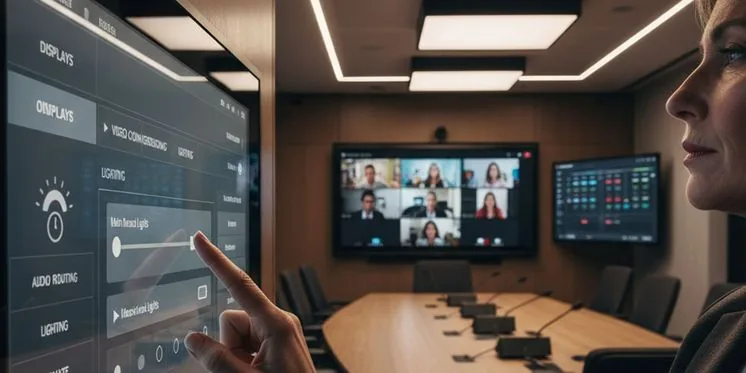
Meetings start on time instead of with troubleshooting. Displays, audio, conferencing and room systems on one button.
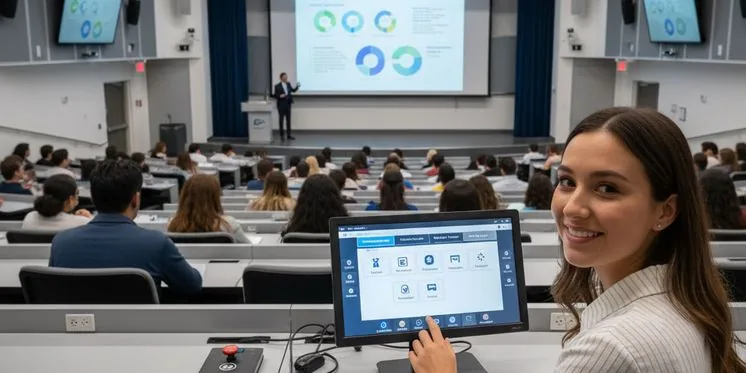
Lecture halls, auditoriums and campus signage unified so teaching staff can start immediately and AV teams work centrally.
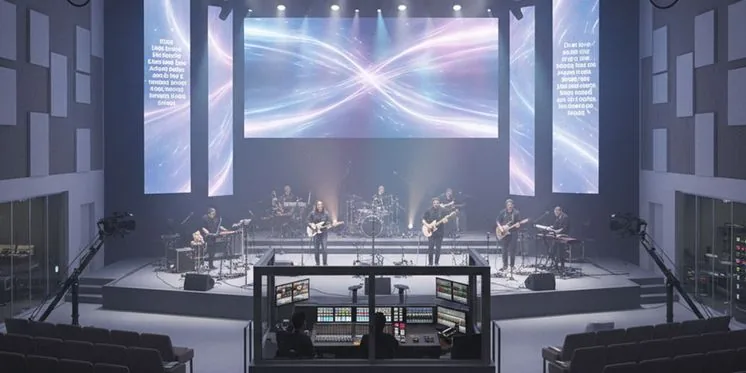
Lighting, media servers, projection and audio cued together, with layouts simple enough for volunteers.
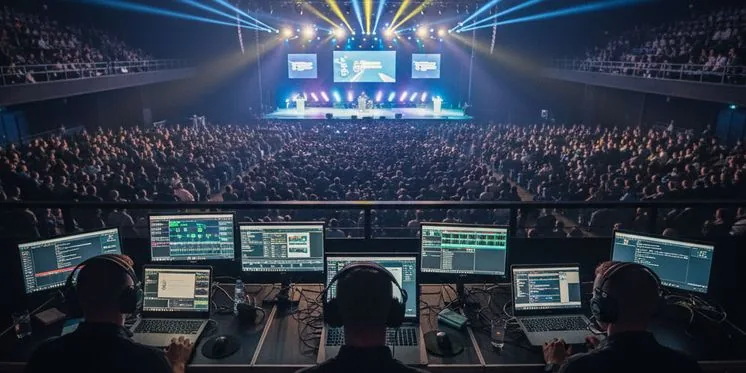
Presentations, playback, lighting and stage mics flowing together so the team can focus on the message.
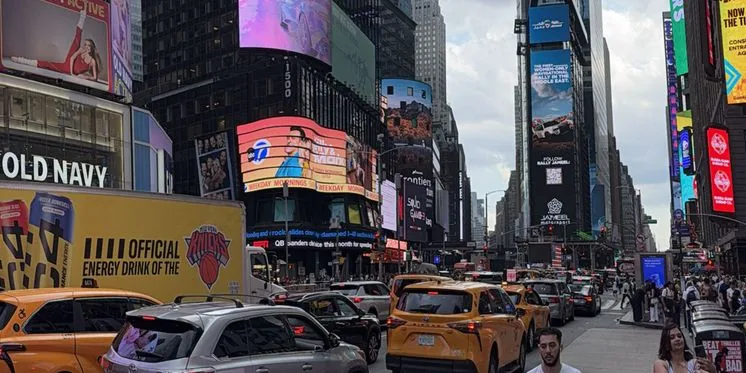
Content, scheduling and power for a single video wall or an estate of screens, from one dashboard.
One product, five tiers. What changes is how many surfaces, how much routing and which support you carry — not which box you bought. Every tier reaches all 750+ connections, and licences are available as a monthly or annual subscription or bought outright.
Bitfocus splits the range in two, and so do we. The small tiers are self-serve, bought online in a few minutes. The business tiers are quoted — and that is where MediaCast comes in, with the licence, the configuration, commissioning, training and support, priced in AED or Türkiye lira rather than a foreign list price.
A surface is a connected control position — a browser tab, a touchscreen or a physical panel. The tier counts positions, not hardware.
Two control surfaces, 16×16 routing, 32 workflow nodes, 32 cues and 32 active connections. Licensed for production use with no time limit and no credit card — prove the system on air before anyone raises a purchase order.
Three surfaces, unlimited routing, workflows and cues, and access to every connection. Built for freelancers stepping up from open-source Companion, and bought online from Bitfocus.
Six surfaces for a studio running a recurring set of shows, with everything the Individual tier carries and priority email support available as an add-on.
A base licence with user management for broadcast and AV teams, with surfaces licensed on top of it, up to thirty. Phone support, a service level agreement and on-site commissioning can be added. Quoted by MediaCast.
Unlimited surfaces, SSO via SAML, high availability and a dedicated account manager, with a 24/7 response service level agreement available. Quoted by MediaCast.
Phone support, a Silver or Gold service level agreement and on-site commissioning are quoted alongside the licence — and in MENA and Türkiye the on-site work is ours, not a flight from Oslo.
Not a control panel with a device list — a control layer with native IP routing, visual logic and an ecosystem of 750+ connections behind it.
Buttons discovers NMOS senders and receivers by itself and routes them from the same panel that runs the show. SMPTE ST 2110 and IPMX are handled natively — no separate broadcast controller, no second operator position, and legacy SDI routers switch in the same action.
Sequences are built in a visual editor rather than written in a scripting language. Conditions, variables, delays and loops are nodes on a canvas, so an operator can read what a button does before pressing it — and change it between rehearsal and transmission.
More than 750 maintained connections cover vision mixers, routers, playout, media servers, lighting desks, audio consoles, intercom and PTZ. Most rigs are covered on day one; anything missing can be driven over HTTP, TCP, OSC, MIDI or serial.
One configuration serves every operator position. Any browser or touchscreen becomes a panel, and the common USB and network control panels are supported out of the box — so a rig can be proven on a laptop before a single piece of hardware is ordered, from anyone.
The free tier is not a trial. Two control surfaces, 16×16 routing and 32 workflow nodes are licensed for production use, so a small rig can run on it indefinitely and only pay when the next show needs more.
Companion, the open-source project Bitfocus maintains, is how most of this industry already controls its kit. Buttons is the commercial platform on that foundation — the same connection ecosystem, with production scale, user management, SSO and a full-time team behind it.
Buttons is deployed across six major verticals in MENA and Türkiye. Each cues a different set of devices — our specialist knows how to spec them all.
Buttons drives vision mixers, graphics, playout, intercom and NMOS routing from one gallery panel. Positions give each operator their own layout on the same rig, and cue lists fire rundowns step by step.
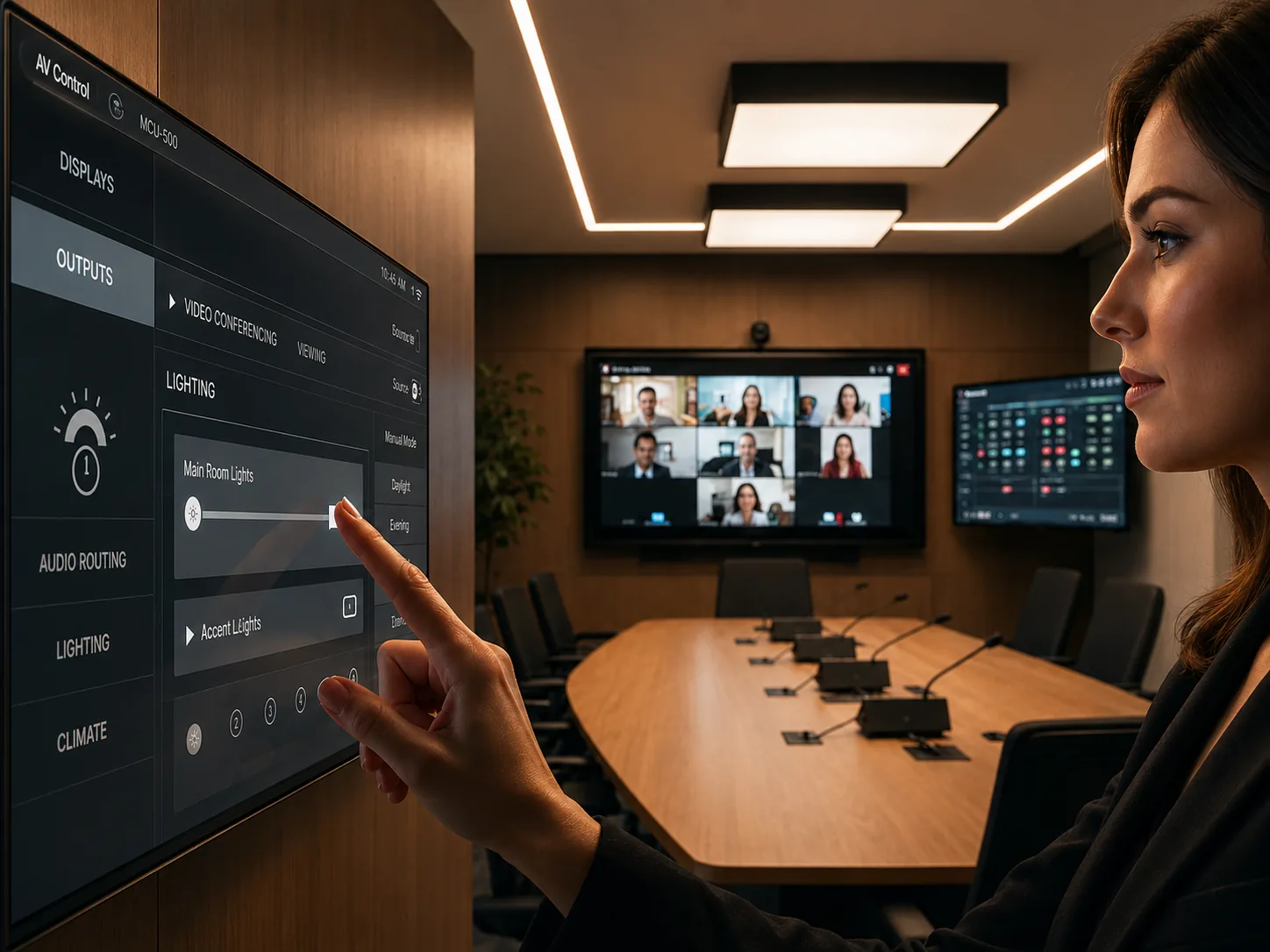
Meeting rooms, boardrooms and auditoriums start on time. A single touchscreen or wall panel handles source selection, displays, audio and conferencing, with sections locked behind a PIN so settings cannot be changed by the room.
Lecture theatres, campus signage and lecture capture on one control layer. Lecturers get a small, fixed panel; AV staff get the full workflow editor and browser surfaces on every teaching space from one licence.
Fast to build, fast to strike. Salvos and multi-routing switch whole bundles at once, tag-based organisation keeps a large rig readable, and positions give FOH, stage and the truck their own layout on one licence.
Volunteer-operated systems that behave predictably. Lighting, projection, media playback and audio are cued together, and a two-surface free-tier rig covers most rooms without a licence.
Residential AV, hotels and hospitality venues. A browser surface on any tablet replaces a proprietary control panel, and patchable connections mean the same panel serves every identical room.
One product, configured three common ways — pick the shape of your operation and see the licence and the workflow behind it.
A freelancer or a small studio driving the show from one position. Start on the free tier, prove it on air, and pay only when the next show needs more.
Two control surfaces, 16×16 routing, 32 workflow nodes and 32 cues — licensed for production use with no time limit.
Sections, folders and popovers organise hundreds of controls, and the graph editor automates sequences without scripting.
Individual adds a third surface with unlimited routing, workflows and cues, and access to every connection.
Several operators on one rig, with IP and SDI behind it. This is where the licence is counted by position and the routing stops being a separate system.
Positions separate and organise programmed buttons for setups with multiple operators or locations.
NMOS discovery browses senders and receivers, routes are made without handling IP addressing, and SDI switches in the same action.
Professional is a base licence with user management; surfaces are added on top, up to thirty.
Meeting rooms, lecture theatres, worship spaces and signage on one control layer — run centrally, operated by people who are not AV engineers.
Any browser or touchscreen becomes an operator position, so every space is covered from one licence.
Sections lock behind a PIN or an NFC card, so transmission-critical controls stay with the right operator.
Enterprise adds unlimited surfaces, SSO via SAML, high availability and a dedicated account manager.
Lawrence is MediaCast’s Broadcast Control Specialist. He has specified control from a single operator position to multi-operator galleries with NMOS routing behind them.
Tell him the devices and the show they have to run. He’ll spec the tier and the workflow for the job — and you can drive the software yourself at MCX before you decide.

Start wherever it feels easiest. Visit us, message us, call us or send the details through. We will guide you to the right person and the right next step.
Come in, explore the portfolio and spend time with the technology in Barsha Heights.
Professional technology, trusted brands and expert support, whenever you need it.
Tell us what you are working on. We will shape the route, with clear options and pricing.
Need a quick answer? Reach out for advice, availability checks or a helping hand.
Certified courses for users, operators, integrators and partners — at MCX or on your site.
For quotations, project discussions and anything that deserves a more detailed conversation.